


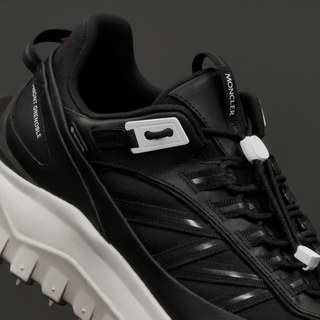




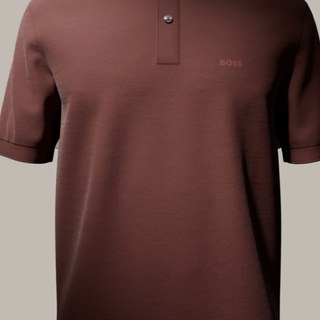



Models, materials, templates, props, and AI Styles in one place, open to the whole team.
Asset Library
Every approved 3D asset, ready in the browser.
Keep your custom assets and Glossi resources in one shared online library. Your team can find the approved version and open it in Studio without chasing files.
Assets arrive prepared: real scale, named parts, tuned materials.
Variants, projects, and renders stay attached to the approved model.
Reusable creative assets
Find the right starting point for any scene.
Browse approved models, materials, templates, props, and AI Styles. Open a model to create and manage its attached variants and colorways, then take any resource straight into Studio.
See what stays attached to a modelPrepared 3D models ready to open in Studio.
Texture maps, parameters, tags, and version history.
Saved camera, lighting, staging, and motion.
Reusable objects for building product scenes.
Saved visual references for repeat AI direction.
Shared model library
Publish one model. Let anyone with access reuse it.
Publish from a Glossi plug-in or upload a supported 3D file. Its colorways, projects, and renders stay together in one model record.
Plug-in publish or file uploadVariants and colorways stay attachedProjects and renders stay attached
Shared material standards
Save an approved finish once. Reuse it without rebuilding.
Keep PBR maps, parameters, tags, and version history together. Apply the same finish to another model or restore an earlier version when direction changes.
Base color, roughness, normal, and supported channelsMaterial parameters and tagsVersion history and restore
MaterialOrange powder coat
Version 04 Material preview
Base color4K
Roughness4K
Normal4K
Metallic2K
Connected delivery
Send finished outputs straight to the systems you already use.
Choose the approved images and video. Deliver them to supported storage, Adobe Experience Manager, or your own system through the public API. The editable source stays in Glossi.
DeliveryFall launch outputs
Ready
Selected outputtrail-shoe-hero.webpThe source project and render history stay in Glossi
Adobe Experience ManagerAsset delivery
SupportedGoogle DriveOutput folder
SupportedOneDriveOutput folder
SupportedPublic APICustomer system
SupportedWhat stays in Glossi, and what you can export.
Get clear answers about supported assets, model records, delivery, and scene export.
Is Glossi a DAM?
Glossi is a production library for 3D models and reusable creative assets. It does not replace a general enterprise DAM. Deliver finished files to Adobe Experience Manager, Google Drive, OneDrive, or a customer system through the public API.
Which assets can live in the Asset Library?
Prepared 3D models, PBR materials, templates, props, and AI Styles live in the Asset Library. Renders and AI edit versions remain available in the output library.
What 3D model metadata does Glossi keep?
Model records can include SKU, category, tags, file type and size, processing status, technical model data, variants, linked projects, and linked renders.
Can I export a complete Glossi scene?
Glossi does not currently export a complete scene through its public workflow. You can export prepared 3D models through the supported model export workflow.
Publish your first approved 3D model.
Give your team one browser link to the model, its variants, and the Studio work built from it.